TypeScript

What is TypeScript?
TypeScript is an open-source pure object-oriented programing language. It is a strongly typed superset of JavaScript which compiles to plain JavaScript. It is a language designed for large-scale JavaScript application development, which can be executed on any browser, any Host, and any Operating System.
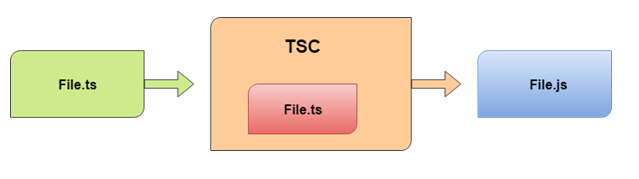
TypeScript cannot run directly on the browser. It needs a compiler to compile the file and generate it in a JavaScript file, which can run directly on the browser. The TypeScript source file is in the ".ts" extension. We can use any valid ".js" file by renaming it to a ".ts" file. TypeScript uses TSC (TypeScript Compiler) compiler, which converts Typescript code (.ts file) to JavaScript (.js file).
Why use TypeScript?
TypeScript supports Static typing, Strongly type, Modules, Optional Parameters, etc.
TypeScript supports object-oriented programming features such as classes, interfaces, inheritance, generics, etc.
TypeScript is fast, simple, and most importantly, easy to learn.
TypeScript provides the error-checking feature at compilation time. It will compile the code, and if any error is found, then it highlighted the mistakes before the script is run.
TypeScript supports all JavaScript libraries because it is the superset of JavaScript.
TypeScript makes app development as quick and easy as possible, and the tooling support of TypeScript gives us autocompletion, type checking, and source documentation.
TypeScript has a definition file with a .d.ts extension to provide a definition for external JavaScript libraries.
Developers can save a lot of time with TypeScript.
Features of TypeScript
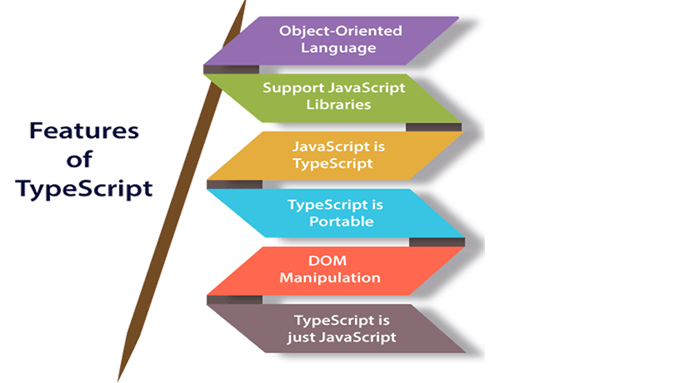
Object-Oriented language: TypeScript provides a complete feature of an object-oriented programming language such as classes, interfaces, inheritance, modules, etc. In TypeScript, we can write code for both client-side as well as server-side development.
Typescript supports JavaScript libraries: TypeScript supports each JavaScript element. It allows the developers to use existing JavaScript code with TypeScript. Here, we can use all of the JavaScript frameworks, tools, and other libraries easily.
JavaScript is TypeScript: It means the code written in JavaScript with a valid .js extension can be converted to TypeScript by changing the extension from .js to .ts and compiled with other TypeScript files.
TypeScript is portable: TypeScript is portable because it can be executed on any browser, device, or any operating systems. It can be run in any environment where JavaScript runs on. It is not specific to any virtual machine for execution.
DOM Manipulation: TypeScript can be used to manipulate the DOM for adding or removing elements similar to JavaScript.
TypeScript is just a JS: TypeScript code is not executed on any browsers directly. The program written in TypeScript always starts with JavaScript and ends with JavaScript. Hence, we only need to know JavaScript to use it in TypeScript. The code written in TypeScript is compiled and converted into its JavaScript equivalent for execution. This process is known as Trans-piled. With the help of JavaScript code, browsers can read the TypeScript code and display the output.
TypeScript Type
The TypeScript language supports different types of values. It provides data types for JavaScript to transform it into a strongly typed programing language. JavaScript doesn't support data types, but with the help of TypeScript, we can use the data types feature in JavaScript.
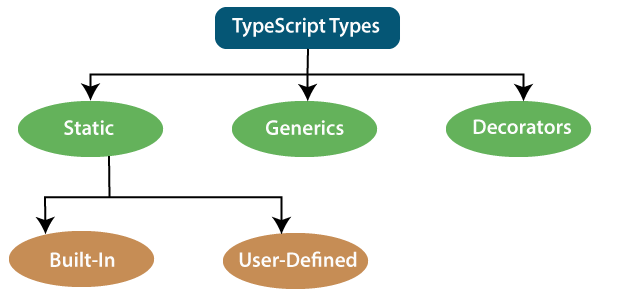
We can classify the TypeScript data type as follows:
1. Static Types
In a statically typed language, variables, parameters, and objects have types that the compiler knows at compile time. The compiler used this information to perform the type checking.
It is divided into two types:
- Built-In or primitive type.
TypeScript has five built-in data types, which are given below.
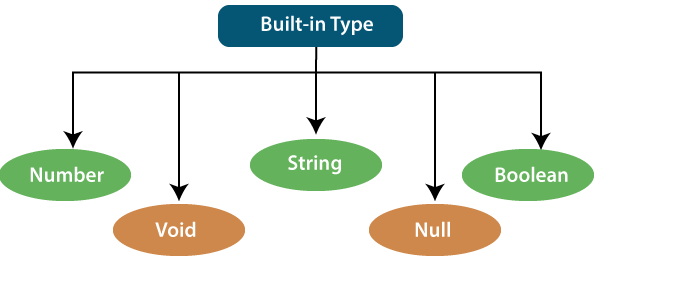
There are five main primitives in JavaScript and TypeScript.
boolean- true or false valuesnumber- whole numbers and floating point valuesstring- text values like "TypeScript Rocks"null- Null represents a variable whose value is undefined.void- void is used where there is no data, For example, if a function does not return any value then you can specify void as return type.
- user-defined data type.
TypeScript supports the following user-defined data types:
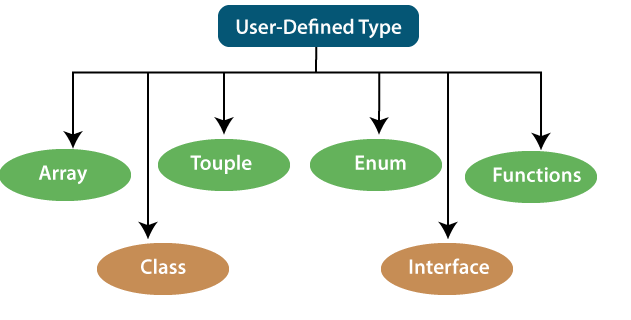
Array- An array is a collection of elements of the same data type. Like JavaScript, TypeScript also allows us to work with arrays of values.
NOTE:-- TypeScript has special types that may not refer to any specific type of data. any is a type that disables type checking and effectively allows all types to be used.
Basic example of how to use typeScript
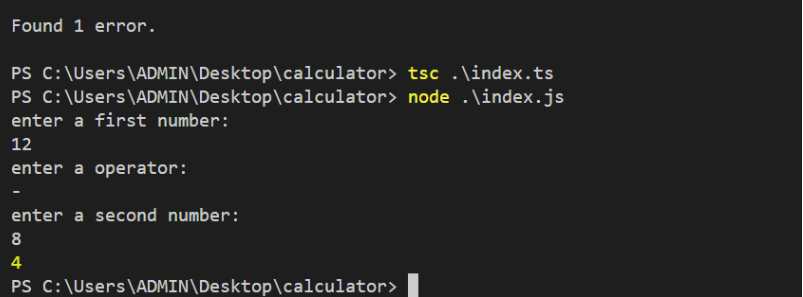
command-line-calculator: simple project created by using typescript.
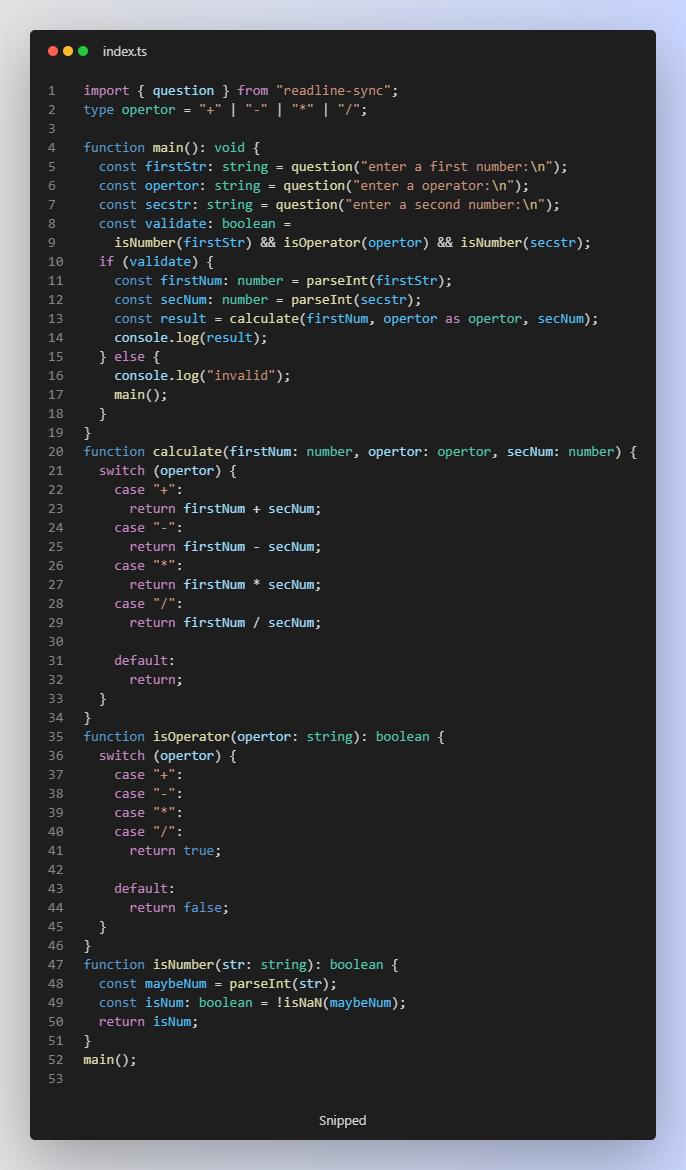
OUTPUT: